Your own Telegram bot
Create a bot in a minute; it answers only you. Send text, screenshots, photos, files and links. Approve with a tap, undo with a tap, and get alerts when your site needs you.
Uses your own AI keyPressHelm is your personal AI developer. Tell it what you want in your own Telegram bot, Claude or ChatGPT, and it does the work on your site. You approve what matters, and every change can be undone.

Chat from · Bring your own AI
Telegram is your developer's home. Claude and ChatGPT work too, on your own plan, with the same approvals and the same undo.
Create a bot in a minute; it answers only you. Send text, screenshots, photos, files and links. Approve with a tap, undo with a tap, and get alerts when your site needs you.
Uses your own AI keyAdd PressHelm as a custom connector in Claude on the web, desktop or phone, or in Claude Code. Sign-in is confirmed in your own WordPress admin.
Uses your Claude planConnect PressHelm as an app (MCP server) in ChatGPT. Changes that need you come back to your WordPress admin for approval, so the AI can never approve itself.
Uses your ChatGPT planAdd PressHelm Vibe AI to your WordPress site. It works on any host: no SSH, no shell, no server changes.
Pick OpenAI, Anthropic, Gemini or OpenRouter, sign in or paste a key, choose a model, and add your Telegram bot. Keys go straight to an encrypted vault.
Ask for anything in plain words. PressHelm plans it, asks you when it matters, does the work, checks the site and shows you what changed.
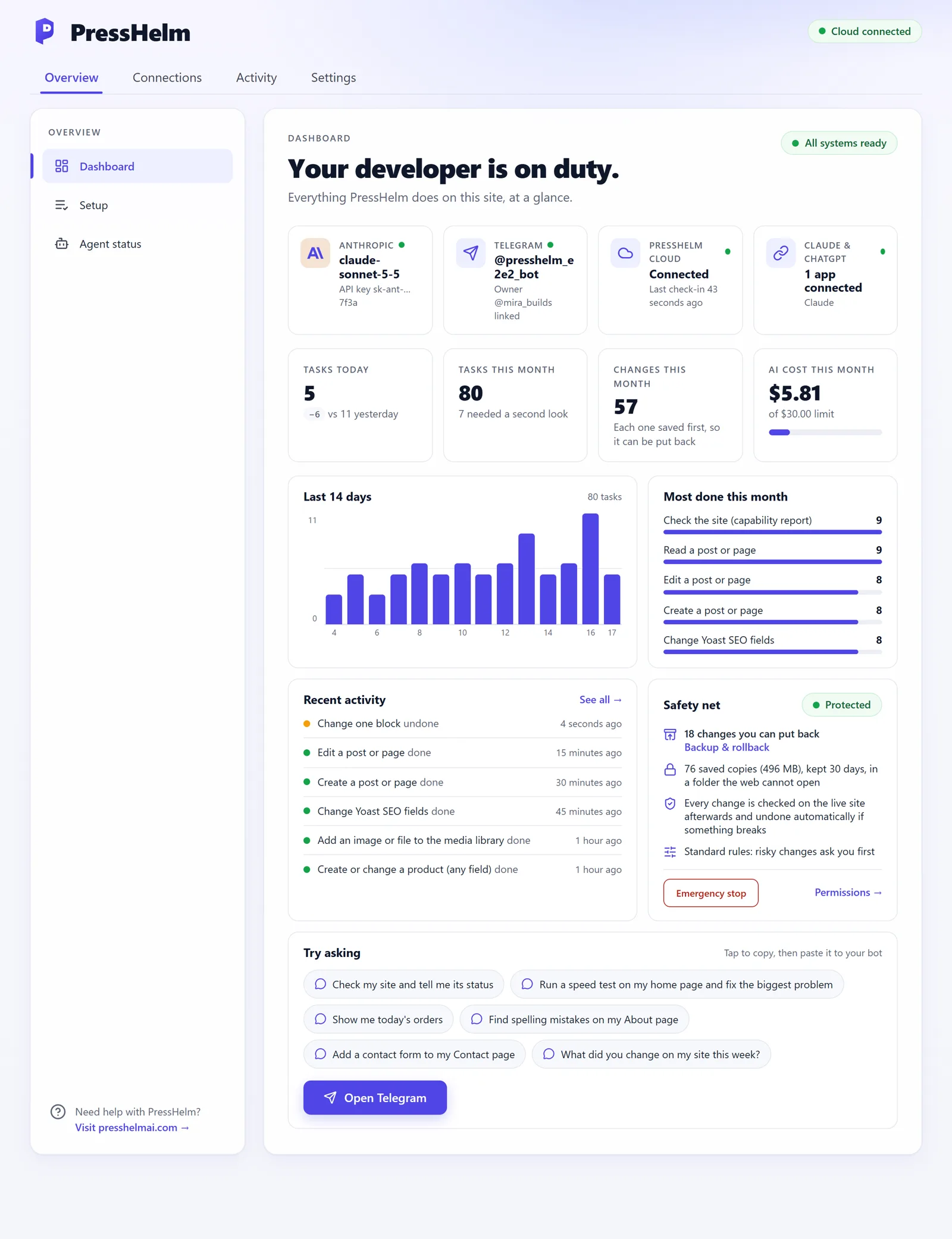
A clear dashboard inside WordPress: which AI and model you use, tasks today and this month, changes you can put back, AI cost against your limit, and the last two weeks of work.
PressHelm works on your actual site through about a hundred safe, checked actions.
Write, edit and publish; change blocks, menus, SEO fields and settings; restore earlier revisions.
Builds in Elementor, Beaver Builder and the block editor through their own save routines, so pages open normally in the builder.
Create and edit products, images, galleries, prices and stock; read orders; import and export products from CSV with undo.
Install, update and switch plugins from WordPress.org. Make child themes and draft copies, preview them, publish when you approve.
Fix a phone number or a typo across the whole site, including inside page-builder layouts and custom fields, with a preview first.
Runs a Google PageSpeed test, explains the biggest problem in plain words, and fixes what it safely can.
Reads the PHP error log with secrets masked, finds what broke, and proposes a fix you approve.
Send a photo in Telegram and it lands in your media library; send a CSV, JSON or ZIP and it goes to a private file box for imports.
Import and export content and products, make ZIPs of themes or uploads, and get files sent back to you in Telegram.
For multi-step work you approve the whole plan once; "undo this task" puts every step back, newest first.
"Every Monday, check for broken links and tell me." Daily, weekly or monthly, in your time zone; pause or cancel any time.
Uptime checks every five minutes and alerts for new fatal PHP errors, sent to Telegram with what changed recently.
CSS, JS and HTML snippets with approval; PHP snippets and plugins it writes stay switched off until you turn them on.
Talks to other plugins through the WordPress Abilities API and the REST API, so forms, SEO and more come along.
What changed, from PressHelm's own records (not the AI's memory), the AI used for the request, and one-tap Undo buttons.
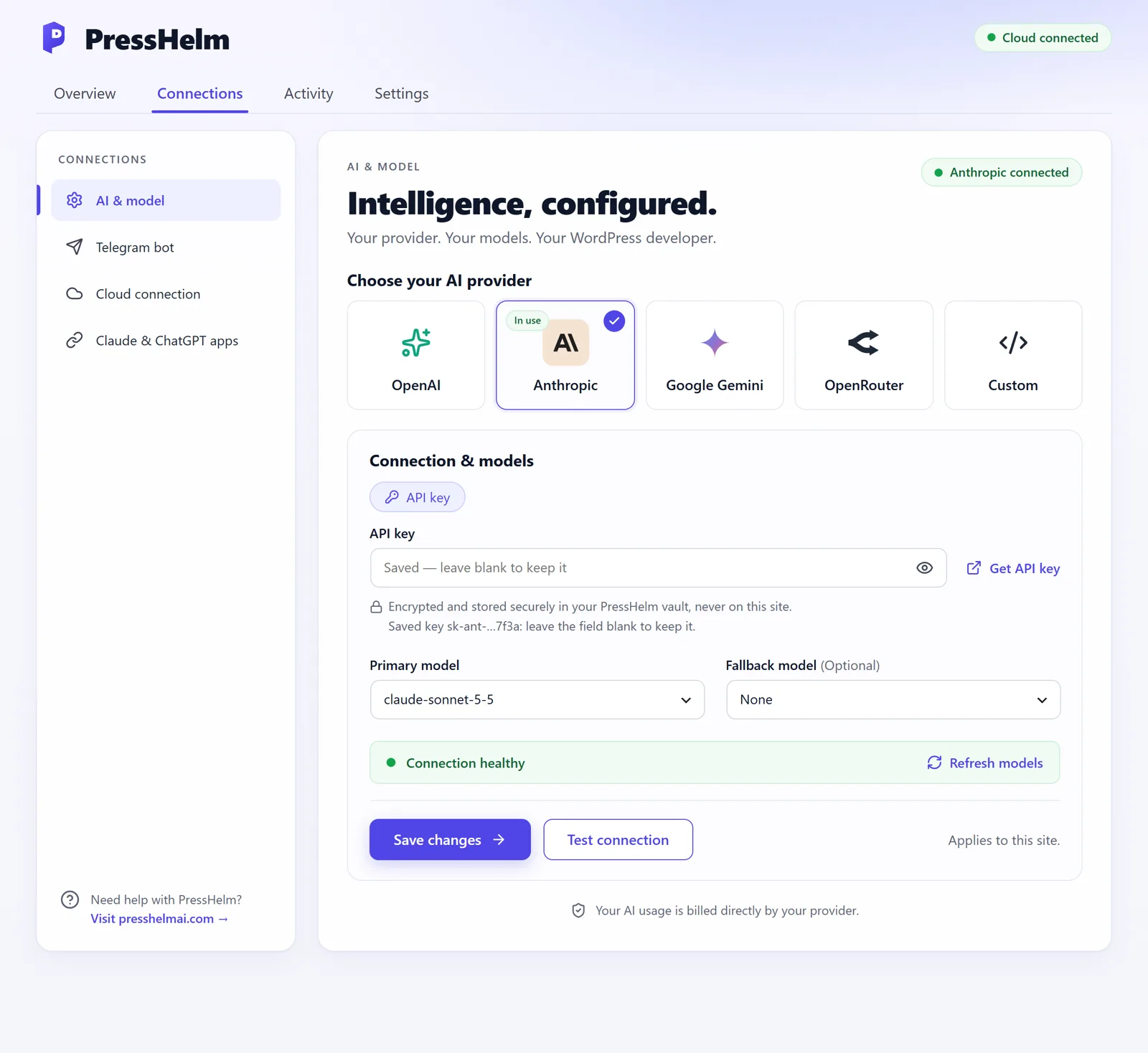
Choose OpenAI, Anthropic, Google Gemini, OpenRouter or any OpenAI-compatible service. Sign in with OpenRouter or paste a key, pick a primary and a fallback model, and test the connection. All in one form.
An AI with access to your site needs guardrails. PressHelm was built around them from the first line.
Risky changes show exactly what, where and how to undo it, and run only after you tap Approve. The AI can never approve itself.
Content, settings, files and database rows are saved before they change. Put anything back from Telegram or from WordPress.
The live site is tested after every change; if it breaks, the change is undone automatically and you are told why.
Turn areas off or make them always ask you: content, design, plugins, database and more, per site.
One click in WordPress stops everything PressHelm does on your site, whatever the cloud asks.
Keys sit in an encrypted vault; every command to your site is signed and checked; your bot answers only you.
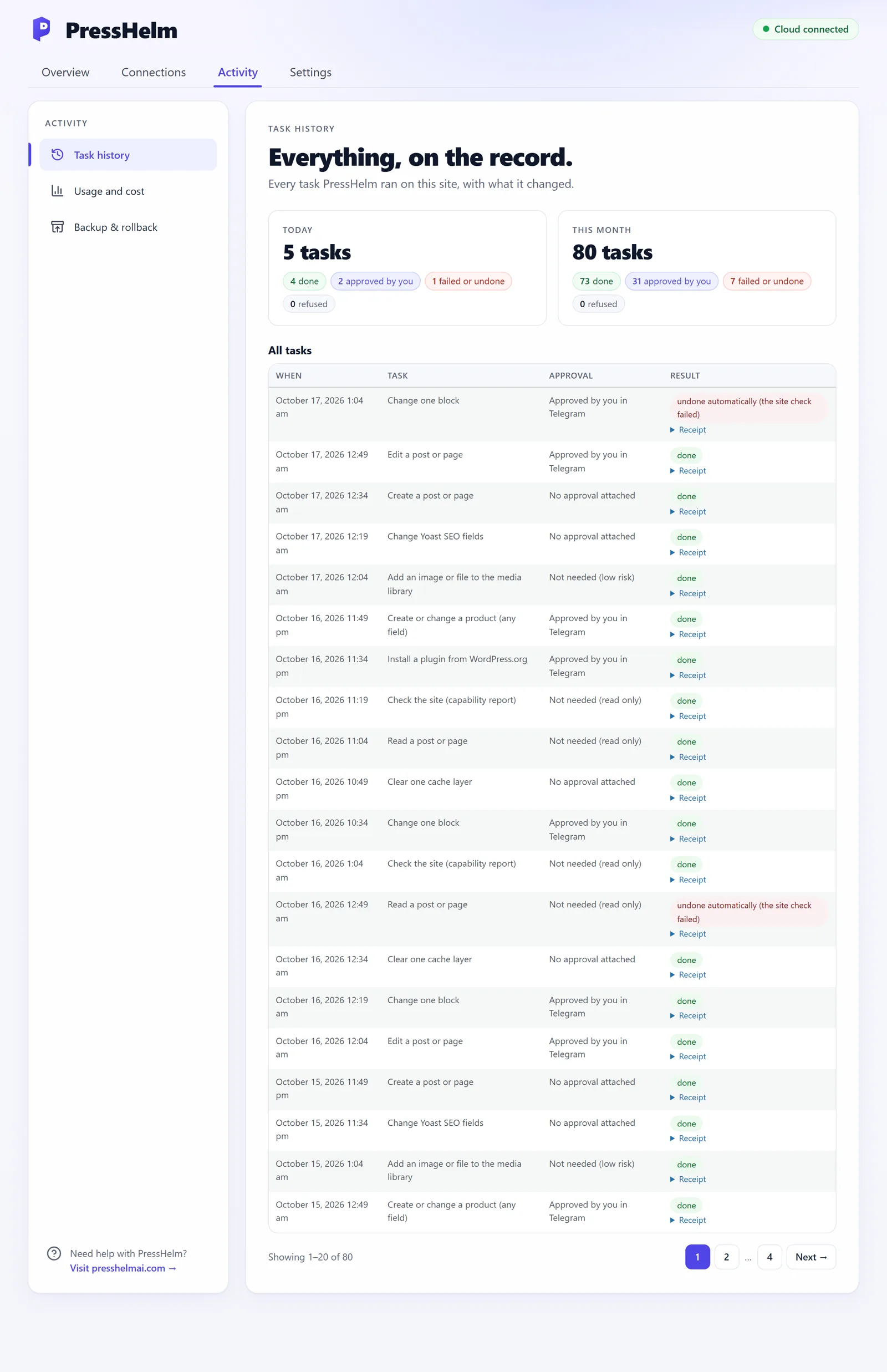
Task history shows what ran, whether you approved it, and the result, with a receipt for each: the site check and the backup record. Backup & rollback lists every saved change with "Put this back".
PressHelm Vibe AI is free. Pro is an add-on for agencies and developers who want PressHelm to work beyond WordPress.org packages.
| Feature | Free | Pro |
|---|---|---|
| Chat in Telegram, Claude and ChatGPT | ✓ | ✓ |
| Content, page builders, WooCommerce, SEO, settings | ✓ | ✓ |
| Approvals, undo, site checks, emergency stop | ✓ | ✓ |
| Plugins and themes from WordPress.org | ✓ | ✓ |
| Child themes and draft theme copies | ✓ | ✓ |
| Dashboard, task history, AI cost and limits | ✓ | ✓ |
| Install plugins and themes from ZIP files and download links | – | ✓ |
| Edit the files of any theme or plugin (with backups and undo) | – | ✓ |
The complete AI developer for your site. You pay your AI provider directly, or use your Claude / ChatGPT plan.
Start freeEverything in Free, plus ZIP installs and editing the files of any theme or plugin. Built for agencies and developers.
Ask about ProPressHelm never resells AI: your AI usage is billed by your provider, and you set the limits.
No. You describe what you want in plain words. PressHelm works out the steps, asks you when it matters and shows you the result.
Every change is saved before it runs, the live site is checked afterwards, and a change that breaks the site is undone automatically. Changes that matter wait for your approval, and an emergency stop is one click away.
You do, directly: PressHelm uses your own AI provider account (OpenAI, Anthropic, Google Gemini, OpenRouter or a compatible service), or your Claude / ChatGPT plan when you work from those apps. PressHelm shows the estimated cost and stops at the limits you set.
It is on your phone already, it is fast, and your own bot answers only you. You can send photos, files and links, approve with a tap and get alerts when your site needs you.
Yes. Add PressHelm as a connector (MCP server) in Claude or ChatGPT and sign in with your site; you confirm the sign-in in your WordPress admin. Telegram keeps working too.
Only what a task you asked for needs, and only to PressHelm Cloud and your own AI provider. Your keys are kept in an encrypted vault, never on your site. See the privacy policy.
Yes: WooCommerce products, images, galleries, CSV imports and orders, and Elementor, Beaver Builder and the block editor through their own save routines.
PressHelm needs WordPress 6.9 or newer and PHP 7.4 or newer. It needs no SSH, shell or server changes, and works on shared hosting.
Free does everything above. Pro adds installing plugins and themes from ZIP files and download links, and editing the files of any theme or plugin, with the same backups, checks and undo.
Create your free PressHelm account, add the plugin to your site, and send your first message in five minutes. The plugin is on its way to the WordPress.org directory.